
Notes · 2013Estimated date
Internet connectivity troubleshooting note
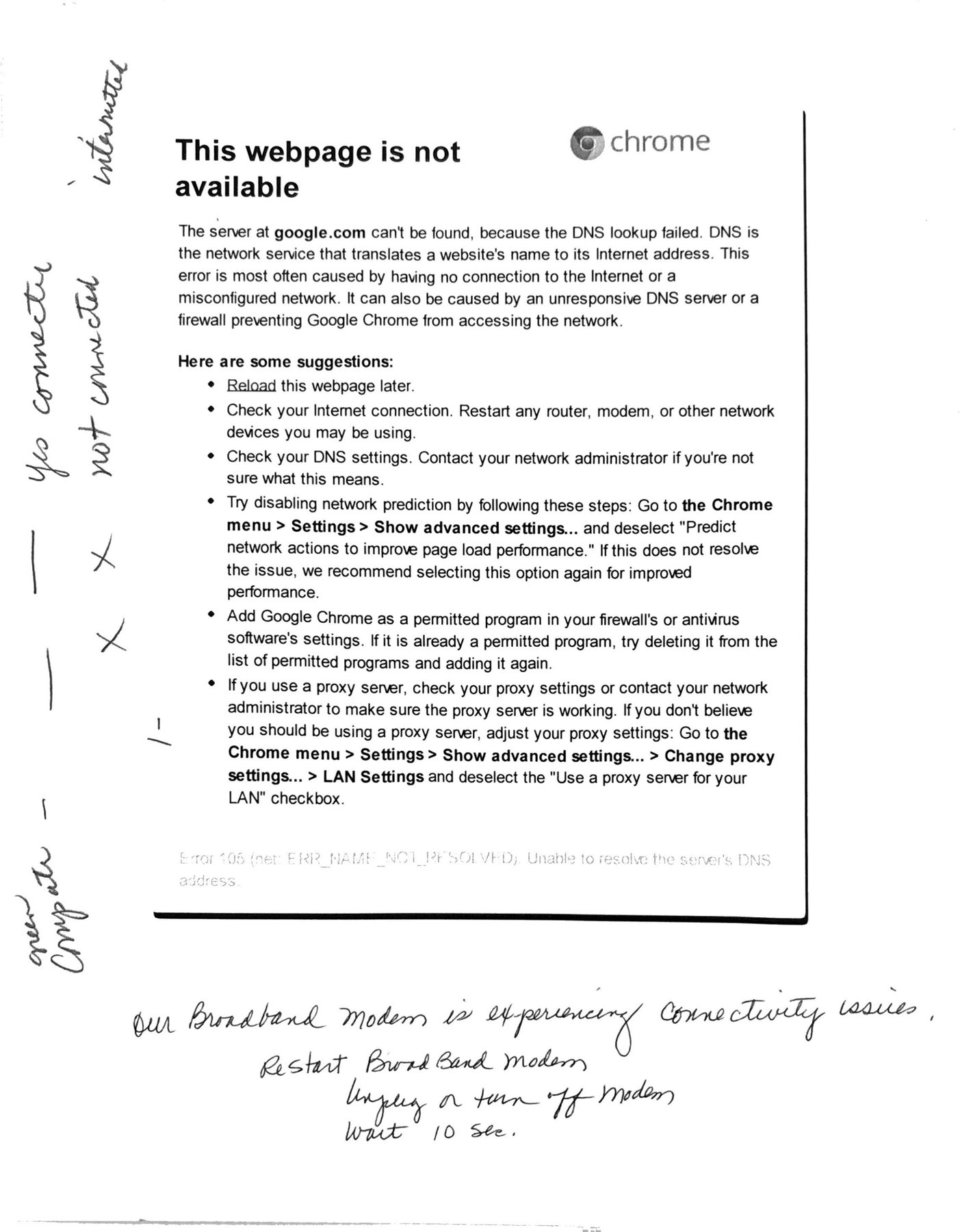
Browser error printout with handwritten modem and connectivity notes. The year is estimated.
Text
Transcribed from the scans and checked against them by Claude. Typed text comes first; handwritten notes follow it. [illegible] marks words that cannot be read and [?] an uncertain reading.
This webpage is not available
The server at google.com can't be found, because the DNS lookup failed. DNS is the network service that translates a website's name to its Internet address. This error is most often caused by having no connection to the Internet or a misconfigured network. It can also be caused by an unresponsive DNS server or a firewall preventing Google Chrome from accessing the network.
Here are some suggestions:
• Reload this webpage later.
• Check your Internet connection. Restart any router, modem, or other network devices you may be using.
• Check your DNS settings. Contact your network administrator if you're not sure what this means.
• Try disabling network prediction by following these steps: Go to the Chrome menu > Settings > Show advanced settings... and deselect "Predict network actions to improve page load performance." If this does not resolve the issue, we recommend selecting this option again for improved performance.
• Add Google Chrome as a permitted program in your firewall's or antivirus software's settings. If it is already a permitted program, try deleting it from the list of permitted programs and adding it again.
• If you use a proxy server, check your proxy settings or contact your network administrator to make sure the proxy server is working. If you don't believe you should be using a proxy server, adjust your proxy settings: Go to the Chrome menu > Settings > Show advanced settings... > Change proxy settings... > LAN Settings and deselect the "Use a proxy server for your LAN" checkbox.
Error 105 (net::ERR_NAME_NOT_RESOLVED): Unable to resolve the server's DNS address.
Handwritten notes
• (left margin, rotated) "new computer - yes connected - X X not connected - intermittent" [?]
• (bottom) Our Broadband modem is experiencing connectivity issues. Restart Broad Band modem. Unplug or turn off modem. Wait 10 sec.
Show the original machine reading
Source scan page 21
internattel